SCADA Systems Development Course (DL SMART-SCADA)
PL-897416
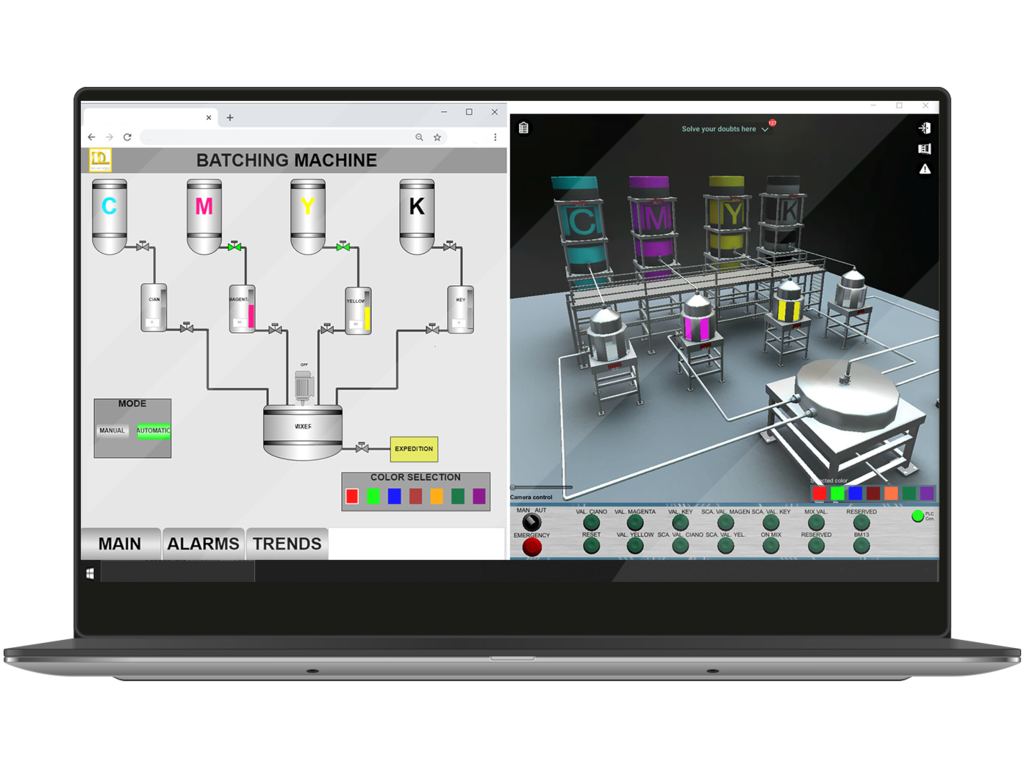
The DL SMART-SCADA is a software that has been developed to teach how to develop supervisory control systems in a unique and effective way. With this software, students can improve their individual experience on studying SCADA systems in practice.
Professors can explore this trainer to provide experiments to students with the following topics:
- Main concepts of SCADA Systems;
- Hardware and software components;
- Interaction with controllers, drivers and OPC Servers;
- Main elemens and resources: Tags, screens, user interface components, real-time databases, trends, historical data record, animations and user permissions;
- Development of projects in 3 different environments (not included): Codesys WebVisu, Elipse E3 and WinCC.
- BATCHING SCADA SYSTEM WITH CODESYS VISU
- BATCHING SCADA SYSTEM WITH ELIPSE E3
- IMPROVING THE SOLUTION
- BATCHING SCADA SYSTEM WITH WINCC
Goal: The student is required to develop a SCADAsystem for the ink coloring process using the SCADAsystem Codesys VISU. The reason is that the factoryplans to build a control room for the operation of allits processes and machines.
Automation contents: Codesys Visualization and Web Visu development tool, tags, screens, user interface objects, animations, navigation, charts/trends, alarm summary, variables.
Requires Codesys software (Not included)
Goal: The student is required to develop a SCADAsystem for the ink coloring process using the SCADAsystem Elipse E3. The reason is that the factory plansto build a control room for the operation of all itsprocesses and machines.
New automation contents: OPC Server, Elipse E3,features, screens, tags, navigation, interface objects, charts/trends, good practices for supervisory systems.
Requires Codesys and Elipse E3 software (Not included)
Goal: The student is required to implement newfeatures for the ink coloring process using theSCADA system Elipse E3, in order to enhanceoperation and security of the process.
New automation contents: U sers permissions, recipes and scripting.
Requires Codesys and Elipse E3 software (Not included)
Goal: The student is required to develop a SCADA system for the ink coloring process using the SCADA system WinCC.
Automation contents: WinCC basics, features, screens, tags, navigation, interface objects, charts/trends, users permissions, recipes, scripting and good practices.Requires TIA PORTAL STEP7 professional and WINCC advanced software (Not included)
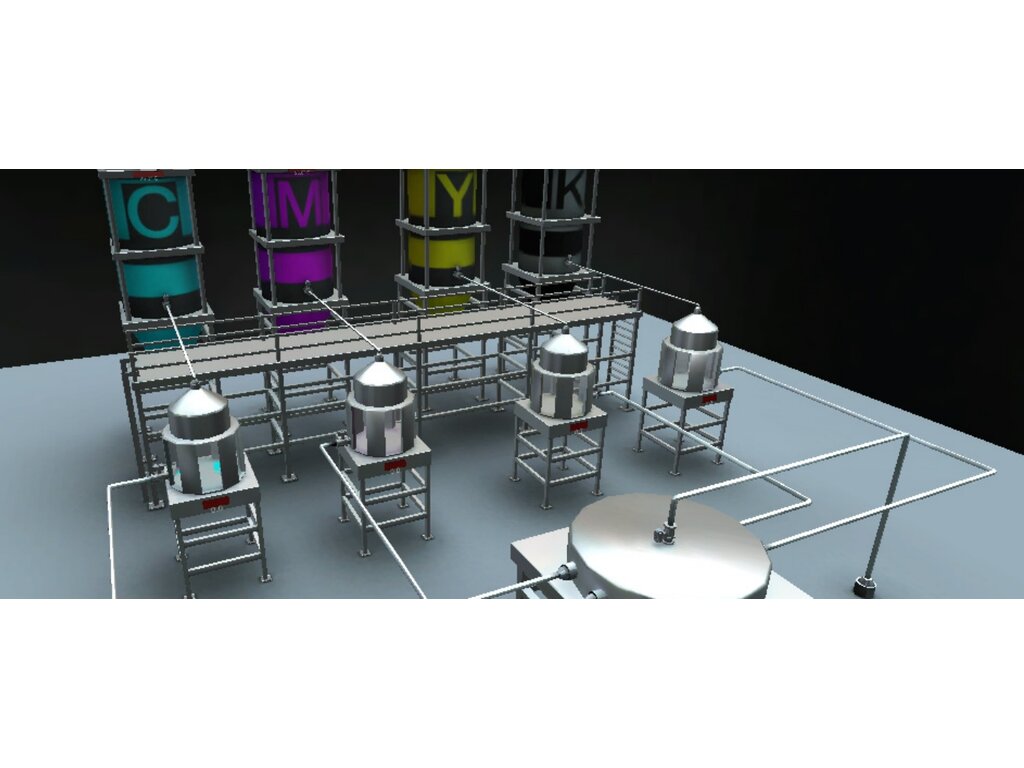
With the industrial 3D environments and also the built-in projects it´s possible to develop solutions in different softwares widely used in industries, work with both native and external SCADA software, besides planning and comissioning a project.
- TAGGING VARIABLES
- OPC COMMUNICATION
- ALARMS
- SYNOPTICS
- TRENDS
IT CONNECTS PROFESSOR, STUDENT AND SCHOOL
De Lorenzo´s cloud server receives students activities and provides reports and analytics to professors and institutions. Besides, a student can start working at school and continue at home or vice-versa. The platform includes a query and answer system that enables professors to support the students counting on a team of monitors. That means better support with less effort of the professors. The students can see questions asked by other colleagues too so that way if more than one student have the same doubt the professors answer will attend them all.
COMPATIBLE WITH THE DL SMART-DASHBOARD (SOLD SEPARETLY)
PROFESSORS CAN FOLLOW STUDENTS PROGRESS
The professor can do and access everything the student can. Besides, he/she can also access the dashboard’s portal. It includes interesting reports and analytics that help the professor to monitor the group in real time, as well as to identify students who are doing very well, as well as those who need help, who are not working at all and who seem to be “cheating”.
Tasks report
This is an important tool since it provides evidence of the activities a student worked on. That means the school has evidence of the practical activities the distance learner has done with detailed information about it.
PROFESSOR CAN SEE WHICH STUDENTS ARE ON SCHEDULE
With this interface, the professor may choose which groups he/she wants to monitor, to verify who is on schedule, who is pending and so on. It is possible to define the expected progress percentage in relation to the tasks available in the course.
RHYTHM
This other dashboard shows the number of activities the students did daily and weekly. The professor may decide to verify it regarding a whole group/class or a specific student.
EFFORT/TASK DEDICATED TIME
If the professor selects a student, he/she may verify how much time the student took to develop and deliver each task of the course.
PROGRESS VS TIME TAKEN
It is also possible to verify the distribution of the dedicated time with relation to the number of tasks done by each student at any period of time. That helps to identify who is doing well, who may need help, who is doing nothing and who is trying to cheat.
TRIALS PER TASK
This chart helps the teacher to understand which task may be the most difficult and which one may be the easiest in order to adjust the deadlines.
- IT’S A 3D SIMULATOR
- IT HAS BUILT-IN PROJECTS
- THE PROJECTS INCLUDE GUIDANCE
- + CONTENTS AND SUPPORT MATERIALS, SO THEY CAN LEARN BY THEMSE
- IT AUTOMATICALLY CHECKS STUDENT ACTIVITIES TO LET THEY MOVE ON, LIKE IN GAME
- PROFESSORS CAN MONITOR STUDENTS, AND VERIFY WHICH POINT THEY NEED HELPOption available with Dashboard
BUILT-IN PROJECTS, TASKS, INSTRUCTIONS, CONTENTS, AND AUTOMATIC VALIDATION
- Each project has well defined goals and requirements.
- They are structured in tasks, and each task has specific requirements and provides instructions,contentes and guidances to the students.
- When a student tests the developed solution and verifies that it meets the requirements, thestudent can deliver the task.
- When a student delivers a task, the SMARTSIM itself tests the student´s solution in real time and allows him/her to go to the next step.
What is this?
These percentage scores are an average of 0 user reviews. To get more into detail, see each review and comments as per below
If you have used this product, support the community by submitting your review


